> For the complete documentation index, see [llms.txt](https://docs.projectsim.ai/llms.txt). Markdown versions of documentation pages are available by appending `.md` to page URLs; this page is available as [Markdown](https://docs.projectsim.ai/creating-assets/choosing-an-endpoint.md).

# Choose a creation endpoint

Choose one asset or a set of related variations. For variation sets, start with the object's geometry and whether you need moving parts: **High-fidelity** suits organic objects, complex geometry, and detailed appearance variations; **Procedural** suits simple geometric object families and articulation.

| Endpoint                                                                                                   | Produces                                                                  | Input                                                | Use it when                                                                                                         |
| ---------------------------------------------------------------------------------------------------------- | ------------------------------------------------------------------------- | ---------------------------------------------------- | ------------------------------------------------------------------------------------------------------------------- |
| [Standard](/creating-assets/assets-standard.md) — `POST /v1/assets/standard`                               | One rigid or deformable asset; articulation coming soon                   | One reference image or text description              | You want to reconstruct one object without a measurement capture.                                                   |
| [Measured](/creating-assets/assets-measured.md) — `POST /v1/assets/measured`                               | One rigid or deformable asset at measured scale; articulation coming soon | One image + ChArUco capture video                    | You need precise real-world scale for grasping and contact-rich manipulation.                                       |
| [High-fidelity](/creating-assets/high-fidelity-variation-set.md) — `POST /v1/variation-sets/high-fidelity` | A set of related assets                                                   | Image, text, or both + optional variation references | You need organic or complex geometry, photorealistic detail, or variation in wear, damage, and material condition.  |
| [Procedural](/creating-assets/procedural-variation-set.md) — `POST /v1/variation-sets/procedural`          | A set of related assets                                                   | Text brief + optional reference image                | You need articulated objects or scalable variation of simple geometric forms, proportions, and mechanical features. |

## Choose your route

```mermaid
flowchart TD
    A("One asset or a set of variations?")
    A -->|One asset| B("Need scale measured from a capture?")
    B -->|No| STD["Standard asset<br/>Rigid or deformable only<br/>Articulation coming soon"]
    B -->|Yes| MEAS["Measured asset<br/>Rigid or deformable only<br/>Articulation coming soon"]
    A -->|Variation set| C("Need articulated parts?")
    C -->|No| D("Need deformable bodies?")
    D -->|Yes| HF["High-fidelity variation set"]
    D -->|No: rigid bodies| E("What needs to vary?")
    E -->|Organic or complex geometry, wear, or damage| HF
    C -->|Yes| PROC["Procedural variation set"]
    E -->|Simple geometric forms and configurations| PROC
```

High-fidelity supports `params.physics.body: rigid` or `deformable`; it does not support articulation. Procedural supports `params.physics.body: rigid` with `params.physics.articulated: true` (default) or `false`. For rigid objects, choose by the geometry and variation your task requires.

## Standard — reconstruct one object

For a single chair, container, or tool, provide one reference image or a text description, never both. Choose mesh, texture, and physics settings for your simulation. Standard supports only `rigid` or `deformable` bodies; **articulation is coming soon**. Use [Standard asset](/creating-assets/assets-standard.md) if you do not need scale measured from a capture.

## Measured — reconstruct at real-world scale

For precision grasping and contact-rich manipulation, provide a reference image plus a video of it beside a printed ChArUco board. The image drives reconstruction; the board provides the scale reference. The result is **up to mm accurate**. Measured supports only `rigid` or `deformable` bodies; **articulation is coming soon**. See [Measured asset](/creating-assets/assets-measured.md) and [Capturing an asset](/creating-assets/assets-measured/measured-capture.md).

## High-fidelity — vary complex geometry and appearance

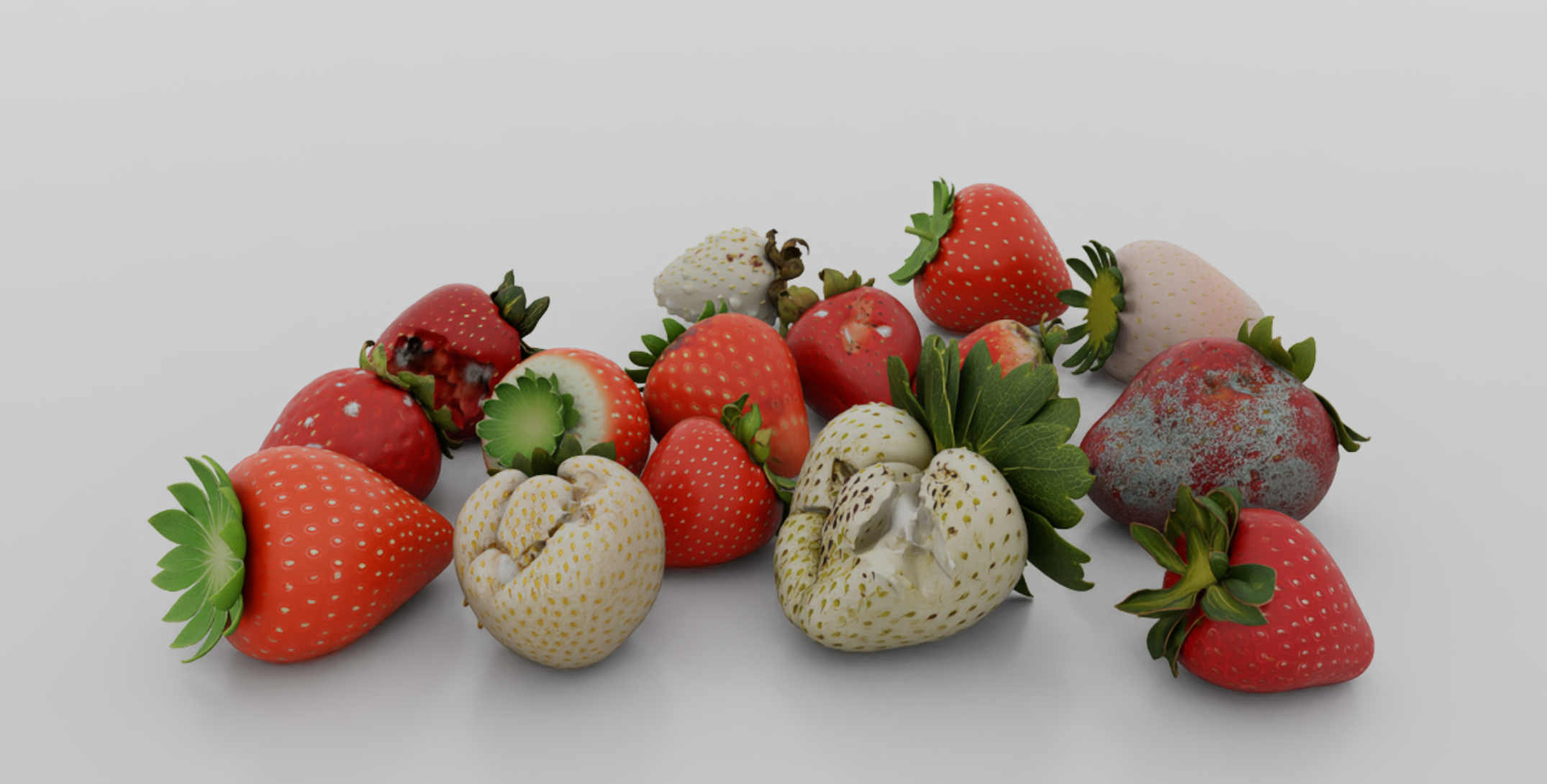
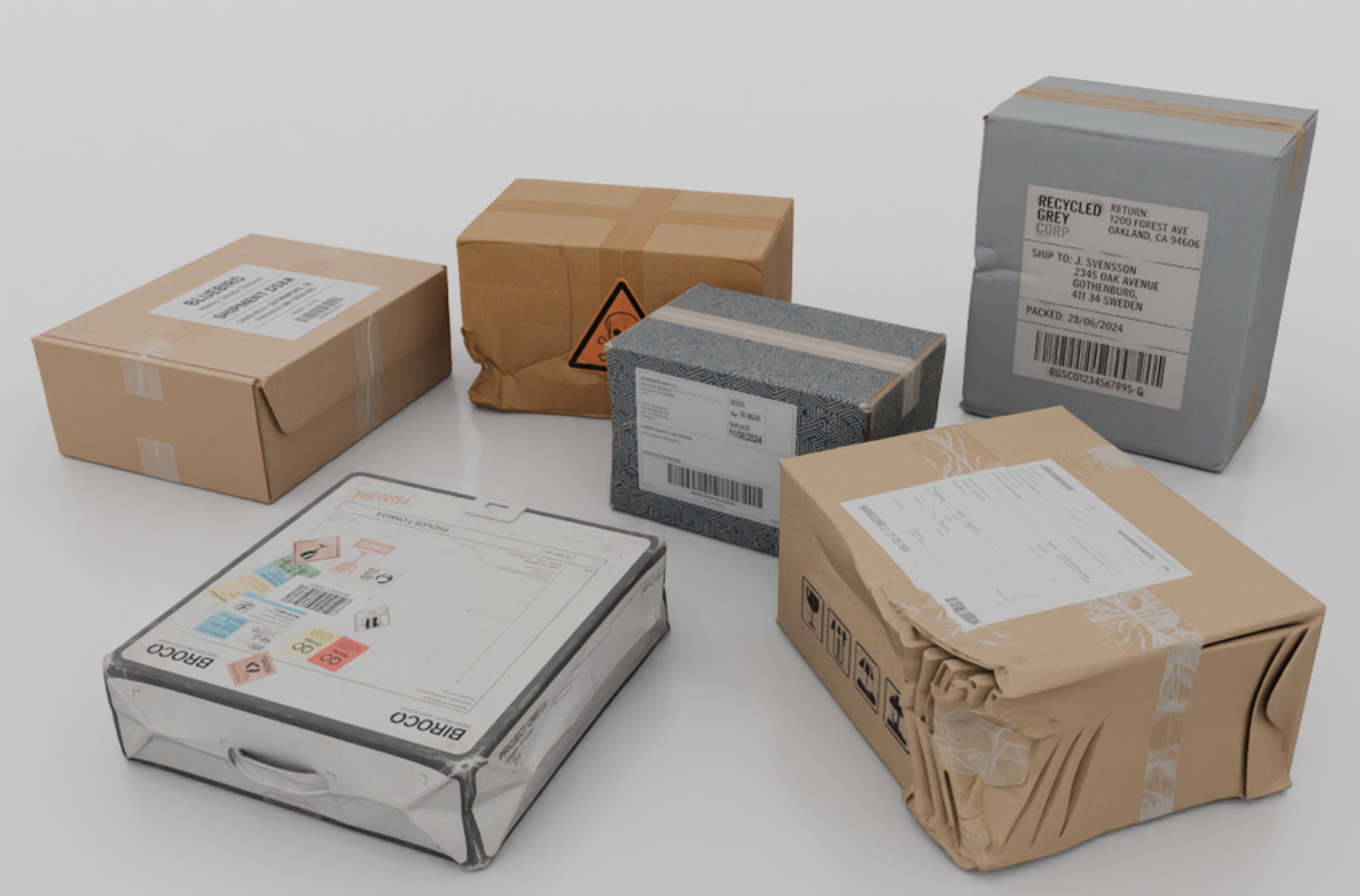
Use High-fidelity for organic subjects or complex manufactured objects where silhouette and photorealistic surface detail matter. Start with an image, text, or both, optionally add variation reference images, and guide the changes with variation settings—for example, worn packaging, crushed corners, or changes in produce ripeness and decay.

The endpoint generates image variations and reconstructs each as an asset. Choose `rigid` or `deformable`. Use `variation_type: general` for shape and appearance changes, or `texture` for surface-only variation. See [High-fidelity variation set](/creating-assets/high-fidelity-variation-set.md).

{% columns %}
{% column %}

<figure><img src="https://70818391-files.gitbook.io/~/files/v0/b/gitbook-x-prod.appspot.com/o/spaces%2FWnQtI3aVPkZHPVyrjjFG%2Fuploads%2Fgit-blob-2afc34328e97c4d983ae83283959957c84813a1f%2Fhigh-fidelity-damaged-parcel-variations.png?alt=media" alt="High-fidelity parcels with creased surfaces, crushed corners, and different packaging details" width="246"><figcaption><p>High-fidelity: vary wear and damage, including changes to the object silhouette.</p></figcaption></figure>
{% endcolumn %}

{% column %}

<figure><img src="https://70818391-files.gitbook.io/~/files/v0/b/gitbook-x-prod.appspot.com/o/spaces%2FWnQtI3aVPkZHPVyrjjFG%2Fuploads%2Fgit-blob-28f93baa3b34077d6c2566dc79211f5117573cf5%2Fhigh-fidelity-strawberry-condition-variations.png?alt=media" alt="High-fidelity strawberries with differences in ripeness, surface damage, and decay" width="320"><figcaption><p>High-fidelity: vary organic shape and appearance, including ripeness and decay.</p></figcaption></figure>
{% endcolumn %}
{% endcolumns %}

## Procedural

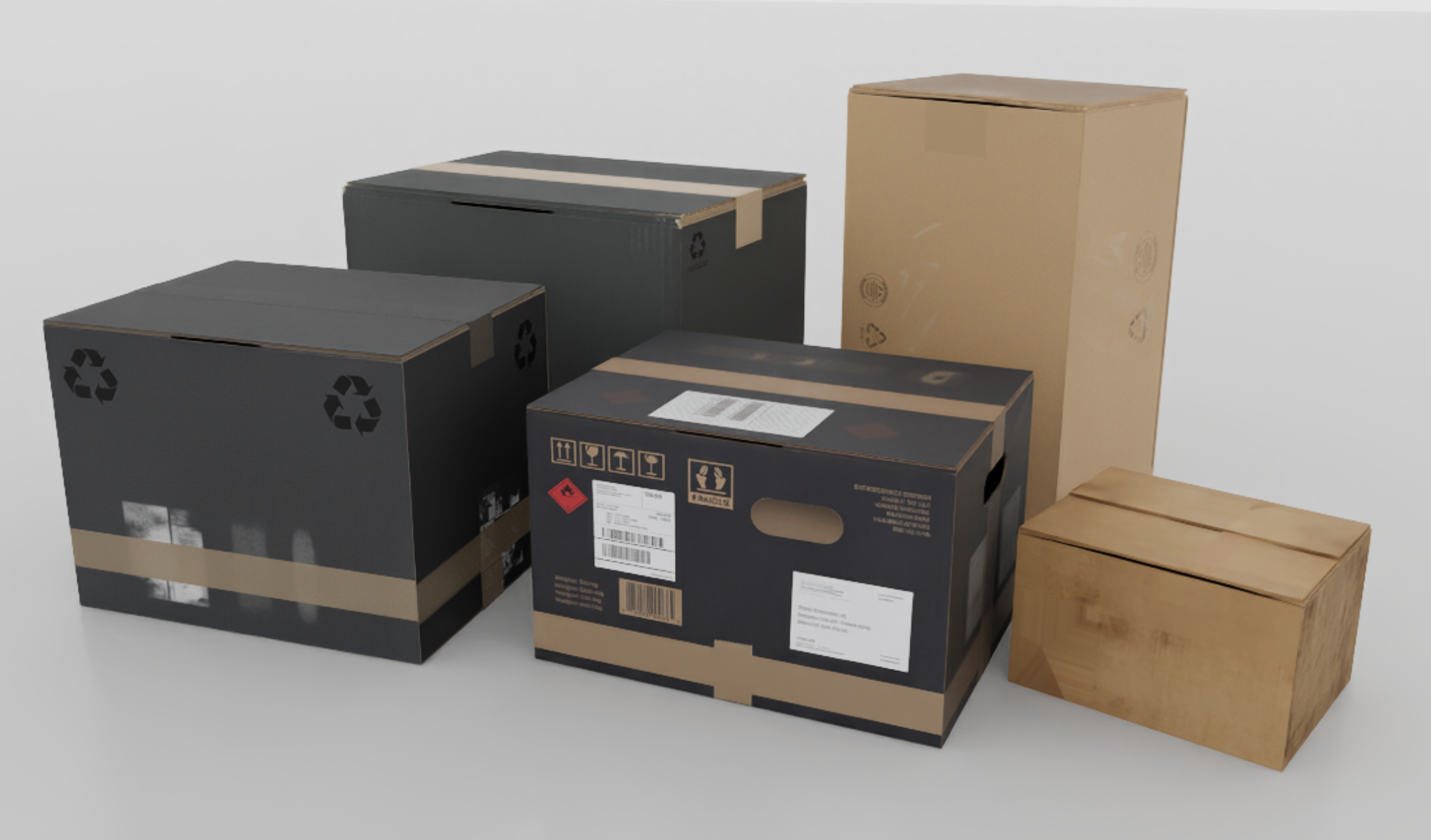
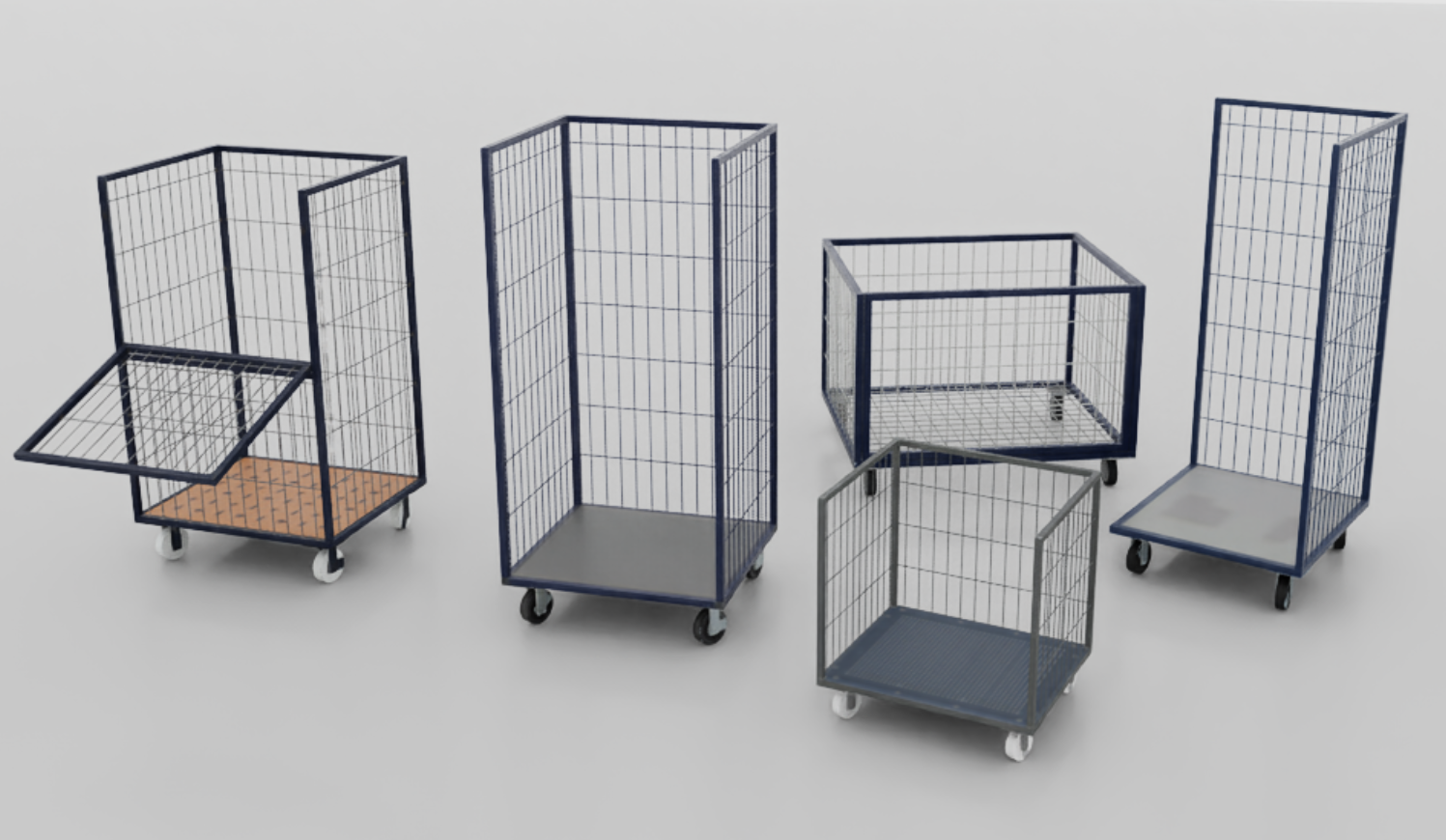
Use Procedural to generate an object family at scale from a shared procedural class. It is best suited to simple geometric forms: boxes, desks, and roll cages. Variations can change size, proportions, general shape, and mechanical features such as drawers, handles, doors, or gates.

Set `params.physics.articulated` to `true` when the task requires moving parts, or `false` for jointless objects. Keep `params.physics.body` set to `rigid` in both cases. Start with a nonblank text brief and an optional reference image. Intricate or organic geometry is better suited to High-fidelity. See [Procedural variation set](/creating-assets/procedural-variation-set.md).

{% columns %}
{% column %}

<figure><img src="https://70818391-files.gitbook.io/~/files/v0/b/gitbook-x-prod.appspot.com/o/spaces%2FWnQtI3aVPkZHPVyrjjFG%2Fuploads%2Fgit-blob-0de3fa82f2cf1b9cda87b4243af86de46e43a95b%2Fprocedural-box-variations.png?alt=media" alt="Procedural shipping boxes with different proportions, handles, and surface finishes" width="320"><figcaption><p>Procedural: vary proportions and construction within a geometric object family.</p></figcaption></figure>
{% endcolumn %}

{% column %}

<figure><img src="https://70818391-files.gitbook.io/~/files/v0/b/gitbook-x-prod.appspot.com/o/spaces%2FWnQtI3aVPkZHPVyrjjFG%2Fuploads%2Fgit-blob-fabaef5759bcfdd61e0ded2cf878038b6e03d658%2Fprocedural-roll-cage-variations.png?alt=media" alt="Procedural roll cages with different heights, panel layouts, and opening gates" width="320"><figcaption><p>Procedural: vary configurations and include articulated parts, such as opening gates.</p></figcaption></figure>
{% endcolumn %}
{% endcolumns %}

For independent inputs, use [Asset batches](/creating-assets/batches.md).

Both routes vary one subject family per request. A box can suit either route: choose High-fidelity for detailed creases, crushing, and surface wear, or Procedural for changes to its proportions and construction. Submit separate requests for unrelated object categories.

## Choose the right kind of prompt

For **High-fidelity**, describe the subject and its visual changes: “Vary cardboard colour, tape placement, and surface scuffs while preserving the box shape.” High-fidelity does not create functional joints.

For **Procedural**, describe the object's construction and, when needed, the parts that move: “One box with four top flaps hinged along the upper rim, initially closed.” For a sealed, jointless parcel, describe fixed panels and state that it has no moving parts.

See the copyable [High-fidelity prompts](/creating-assets/high-fidelity-variation-set.md#writing-a-text-prompt) and [Procedural prompts](/creating-assets/procedural-variation-set.md#writing-a-text-prompt).

## Explore example use cases

Follow the creation guide for your scenario:

* [A SKU at measured scale](/creating-assets/choosing-an-endpoint/worked-use-cases.md#a-sku-at-measured-scale).
* [Damaged parcels for perception](/creating-assets/choosing-an-endpoint/worked-use-cases.md#damaged-parcels-for-perception).
* [Visually varied strawberries](/creating-assets/choosing-an-endpoint/worked-use-cases.md#visually-varied-strawberries).
* [Box variations for warehouse manipulation](/creating-assets/choosing-an-endpoint/worked-use-cases.md#box-variations-for-warehouse-manipulation).
* [Articulated roll cages](/creating-assets/choosing-an-endpoint/worked-use-cases.md#articulated-roll-cages).
* [Articulated desks with drawers](/creating-assets/choosing-an-endpoint/worked-use-cases.md#articulated-desks-with-drawers).

These creation endpoints return `202` with an `id` and `job_id`. See the [Quickstart](/getting-started/quickstart.md) for SDK installation and the [Jobs & assets guide](/guides/jobs-and-assets.md) for progress and downloads.